
SAT Practice Companion for Chrome
Practice on College Board's question bank with Sharp alongside it. Pick a skill and a difficulty, answer each question before you see College Board's answer, and keep track of what you've done and what you've missed. The same extension imports your Bluebook practice tests in one click.
Last updated · Free with a Sharp account
Free in the Chrome Web Store. Works on the College Board Question Bank, including the student version in My Practice.
Sharp isn't affiliated with College Board, and College Board doesn't endorse Sharp or the SAT Practice Companion.
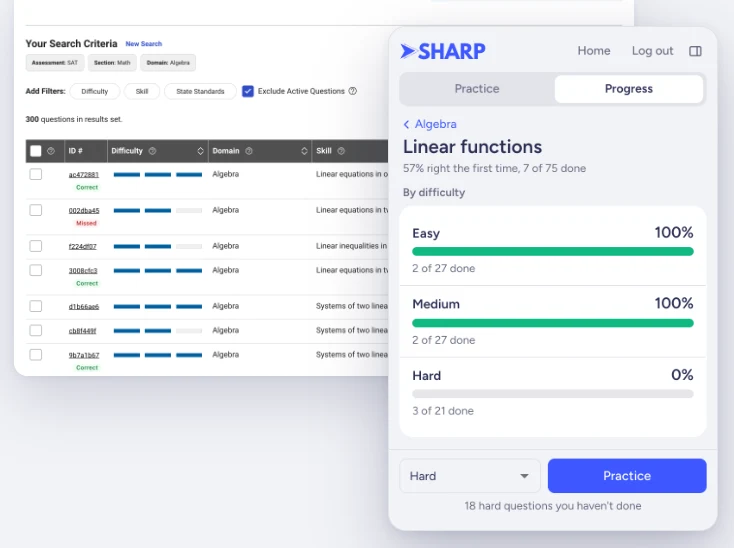
Practice the question bank with Sharp beside it
College Board's question bank holds thousands of official SAT and PSAT questions, but it doesn't keep track of which ones you've done or how you did. Tell Sharp what to practice (a section, a domain and its skills, plus Easy, Medium or Hard) and it sets College Board's filters and opens the first question for you.
- Answer first. Pick A to D or type your answer in Sharp, then see whether you got it right, how long it took and College Board's explanation.
- Skip active questions. Some question bank questions also appear on College Board's Bluebook practice tests. We default "Skip questions on Bluebook practice tests" to on so you don't spoil those tests. That turns on College Board's Exclude Active Questions filter.
- Only new questions. Once you're signed in, Sharp skips questions you've already done.
- Math tools. Desmos and the SAT reference sheet each open in one click.
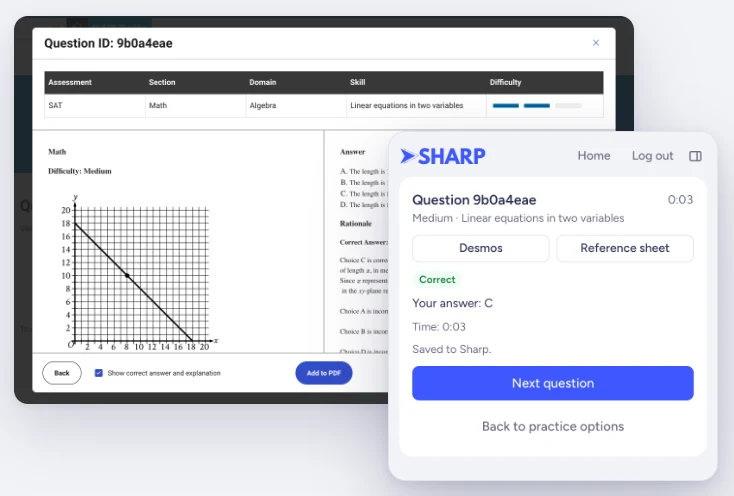
If you show College Board's answer before answering, Sharp counts the question as skipped.
See which skills need work
The Progress tab shows how often you get questions right the first time and how much of the question bank you've done, by domain, skill and difficulty. When a skill looks weak, choose a difficulty and start practicing it from there.
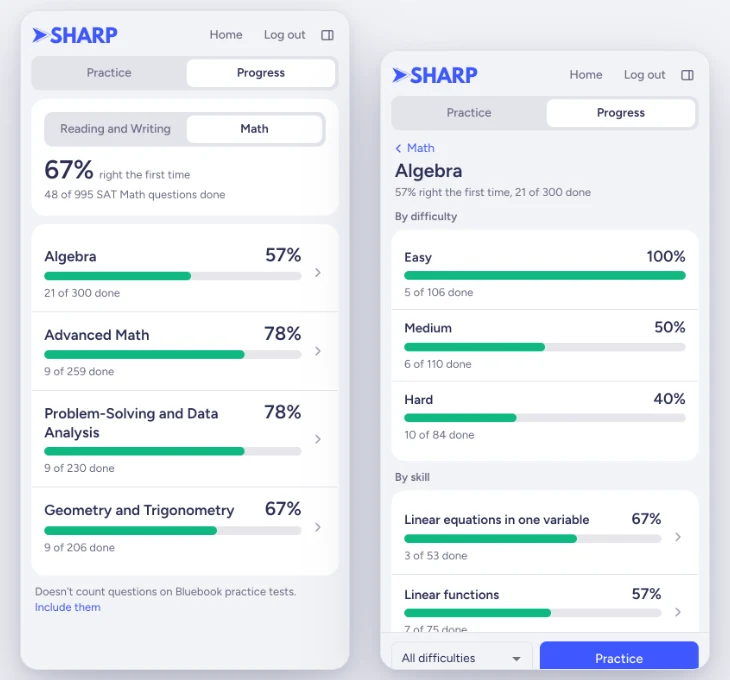
Each question you answer is saved to your Sharp account with the rest of your practice, so it shows up in your stats in Sharp on the web and on iPhone. Our guide to using the College Board SAT Question Bank covers how to choose skills and when to move up to Hard questions.
Import Bluebook practice tests in one click
Open a finished practice test on My Practice and click Analyze my test. Sharp shows where your points went, by domain and skill, and what to practice next. Your first import is free, and more imports are part of Sharp Pro.
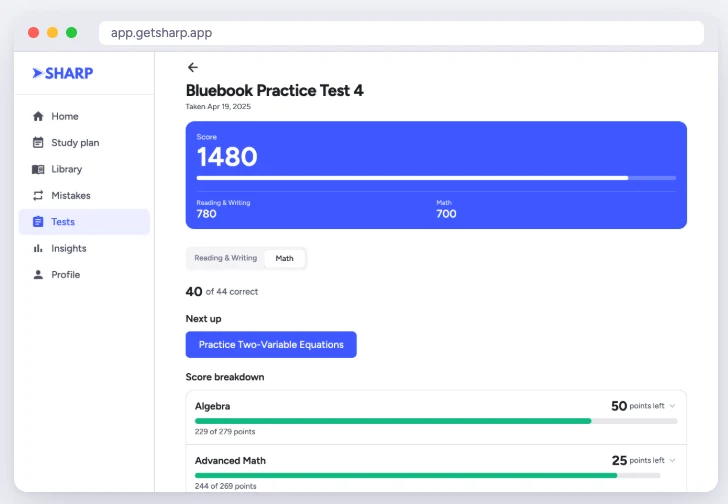
If you don't use Chrome, the free Bluebook score report gives you the same breakdown when you paste in your results.
Set it up
- Add the SAT Practice Companion to Chrome and pin it to your toolbar.
- Click Sharp's icon to open it beside your page, and sign in with your email. We'll send you a code.
- Open the College Board Question Bank and click Allow access when Sharp asks. Chrome asks once before Sharp can work on that site. The Student Question Bank in My Practice works without this step.
- To import a Bluebook test, open a finished practice test on My Practice and click Analyze my test.
Frequently asked questions
Which College Board question bank does it work with?
Both. It works on the Educator Question Bank at satsuiteeducatorquestionbank.collegeboard.org, which doesn't need a College Board account, and on the Student Question Bank in My Practice at mypractice.collegeboard.org/questionbank, where you sign in with College Board. Sharp keeps one history for both, so a question you did in one counts in the other.
Is the SAT Practice Companion free?
Yes. Installing it and practicing on the question bank are free with a Sharp account. Your first Bluebook practice test import is free too. Importing more practice tests is part of Sharp Pro.
Does it work for the PSAT?
Yes. You can practice SAT, PSAT/NMSQT and PSAT 10, and PSAT 8/9 questions from the question bank, and import PSAT practice tests you took in Bluebook.
What do I need to use it?
Google Chrome on a computer and a free Sharp student account. The extension doesn't run on phones or tablets, but it saves your progress to your Sharp account, which you can open on the web or in our iOS app.
Does it change College Board's site?
Only a little. Sharp opens in a panel beside College Board's page, sets College Board's filters for you, and adds a small badge to each question you've done in the results table. Otherwise the page works as usual.
What if I'm not signed in?
Sharp still checks your answers, but it doesn't save anything until you sign in. You sign in with your email, and Sharp sends you a code.
Sources
- College Board: SAT Suite Educator Question Bank
- College Board: Student Question Bank
- College Board: My Practice (Bluebook practice test results)
SAT, PSAT/NMSQT, PSAT 10 and PSAT 8/9 are trademarks of College Board. National Merit is a trademark of National Merit Scholarship Corporation. Sharp is not affiliated with or endorsed by these organizations.